
OVERVIEW
Exploring mixed-reality interaction design through origami.
Team:
Solo
Programs:
Figma
Adobe AfterEffects
Bezi
Timeline:
3 weeks
CURRENT SPACE
THE DRIVING QUESTION:
How do we design for layered attention when interaction spans both physical and spatial worlds?
THE CHALLENGE:
To translate a physical, tactile craft into a spatial interface without losing its intuitiveness.


DISCOVERY
KEY INSIGHT
AR (Augmented Reality) extends presence rather than displacing it.
The digital becomes a participant in the physical interaction.
DRIVING GOAL
Interaction should follow human movement rather than force it.
The interface adapts to the body, not the other way around.
DESIGN PRINCIPLES
FLUIDITY
Maintain a seamless sense of presence across physical and digital states.
COMFORTABILITY
Minimize physical strain and visual fatigue through mirroring user movement.
SIMPLICITY
Expose only the tools needed for the current action to keep continuity.
MOMENTUM
Let the experience move at the user’s speed, physically and mentally.
FINAL SOLUTIONS:
📖 Choosing a tutorial
📘 Viewing your collection
🔎 Starting a tutorial
🌎 Environment Calibration
🤖 Immersive Tutorial
PRODUCT THINKING
MAIN CONCERN
What is the most adaptive color palette for users in a
multi-sensory environment?
I was afraid that the color contrast would be too overwhelming for users in a dynamic environment.
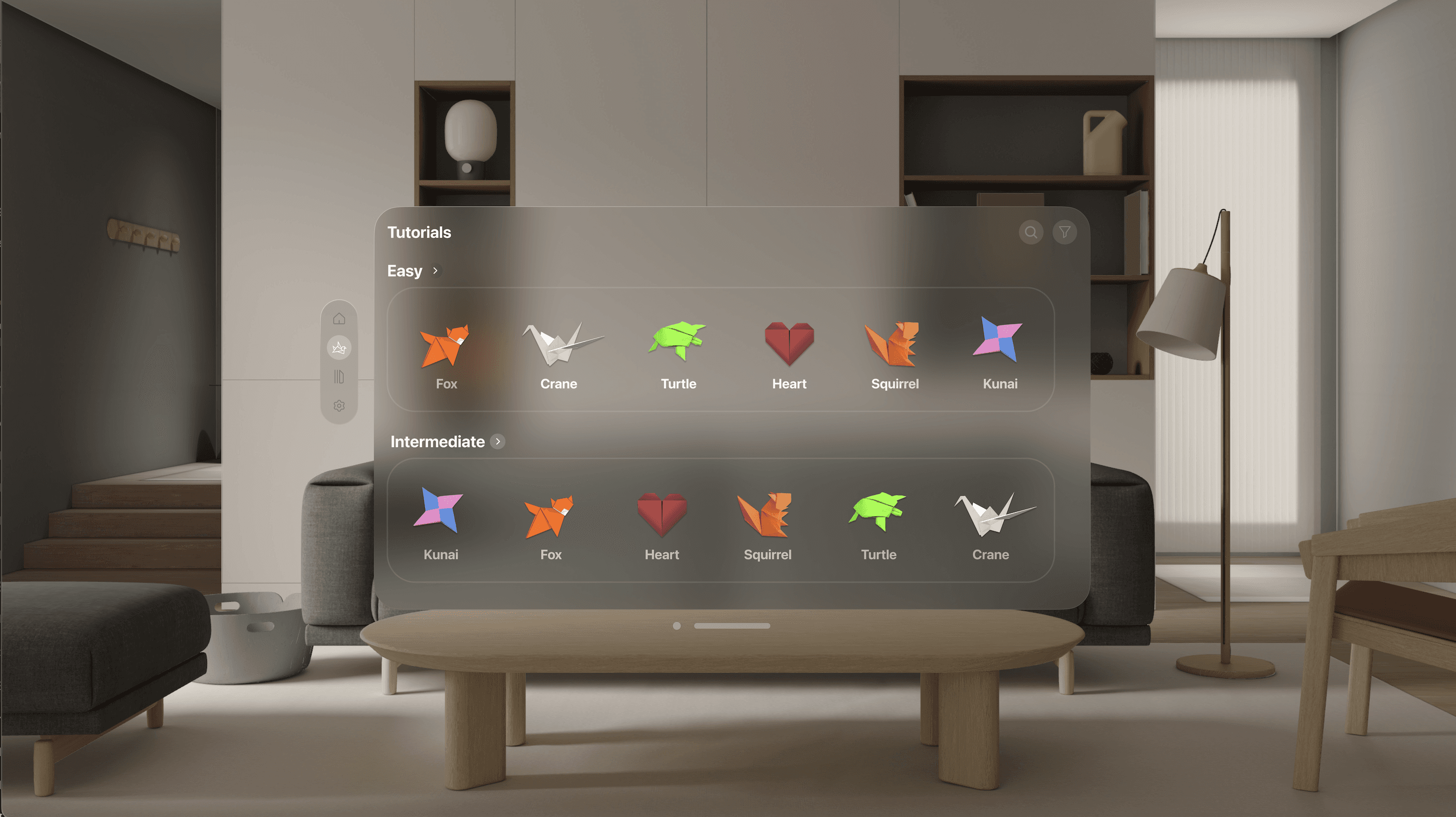
A) More familiar material; colorful (Default Vision Pro Material)
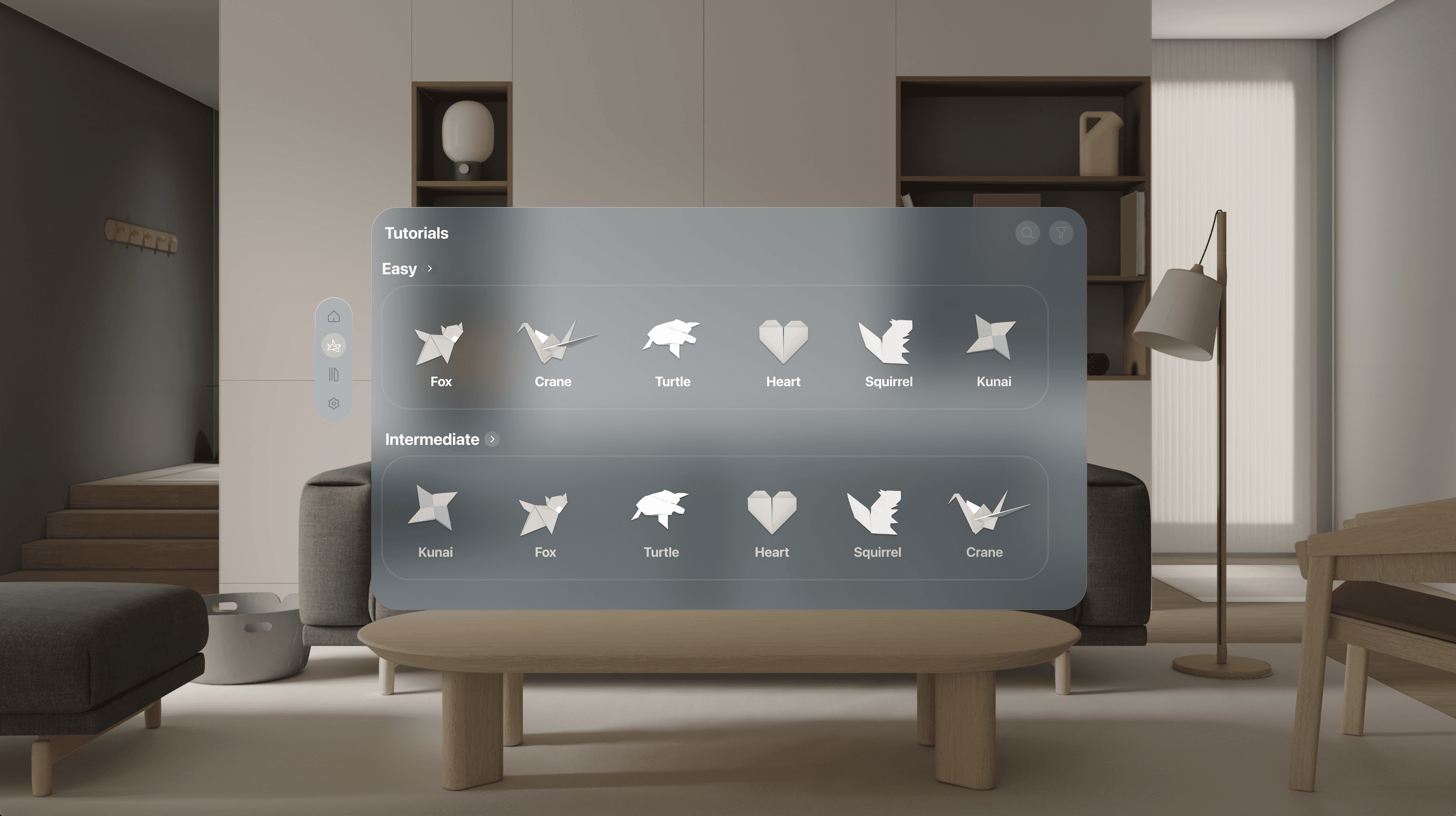
B) Monochrome material more aligned with brand identity and values of relaxation
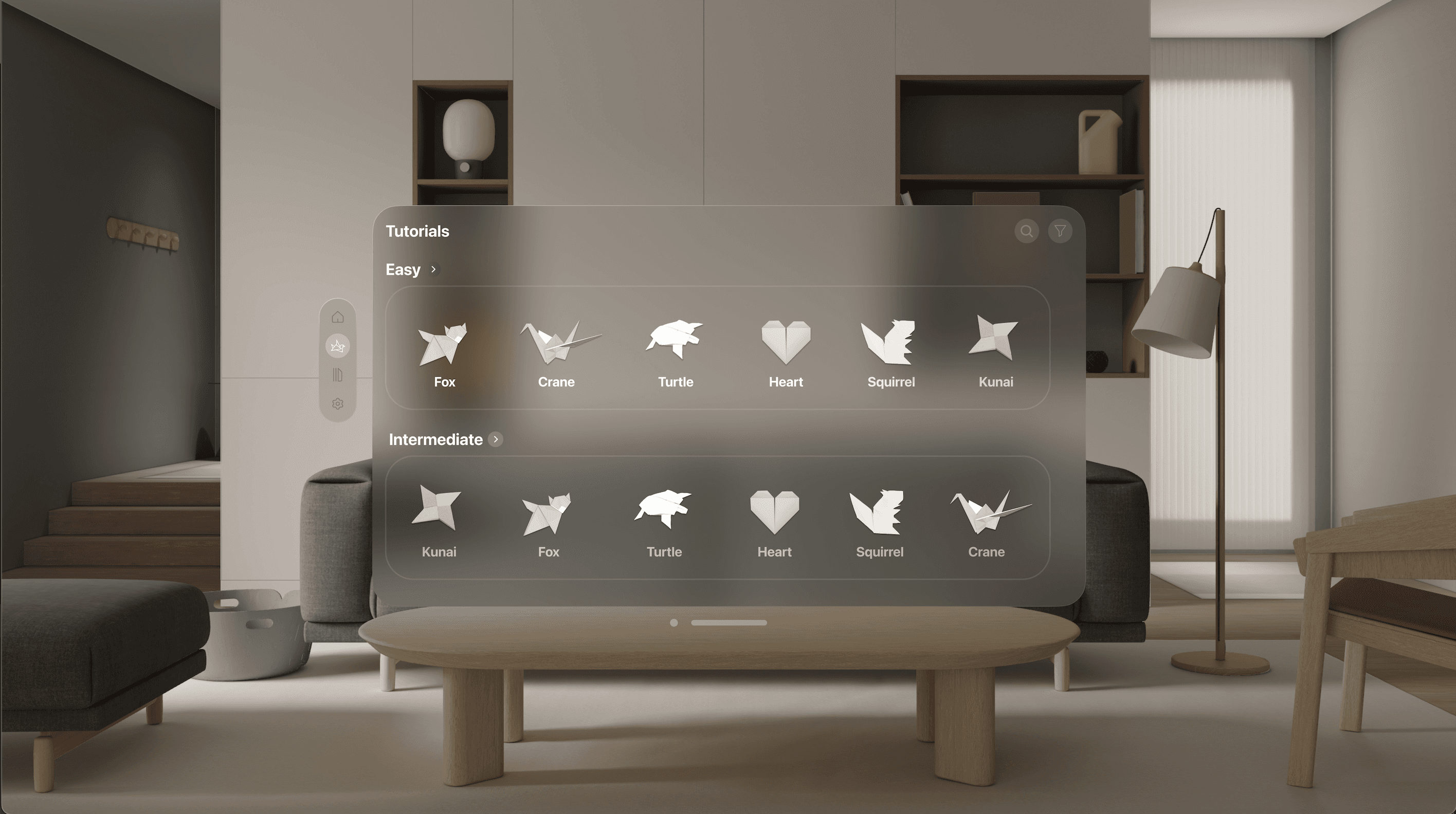
C) Monochrome Icons
USER RESEARCH FINDINGS:
"The monochrome icons are less recognizable."
KEY INSIGHT
A vibrant color palette doesn’t inherently create chaos—when grounded in familiarity, it can feel calming and be recognizable.
SO WHAT?
I chose Style Guide A because its vibrant palette felt more legible to users than the monochrome alternative.
FINDING THE BEST INTERFACE:
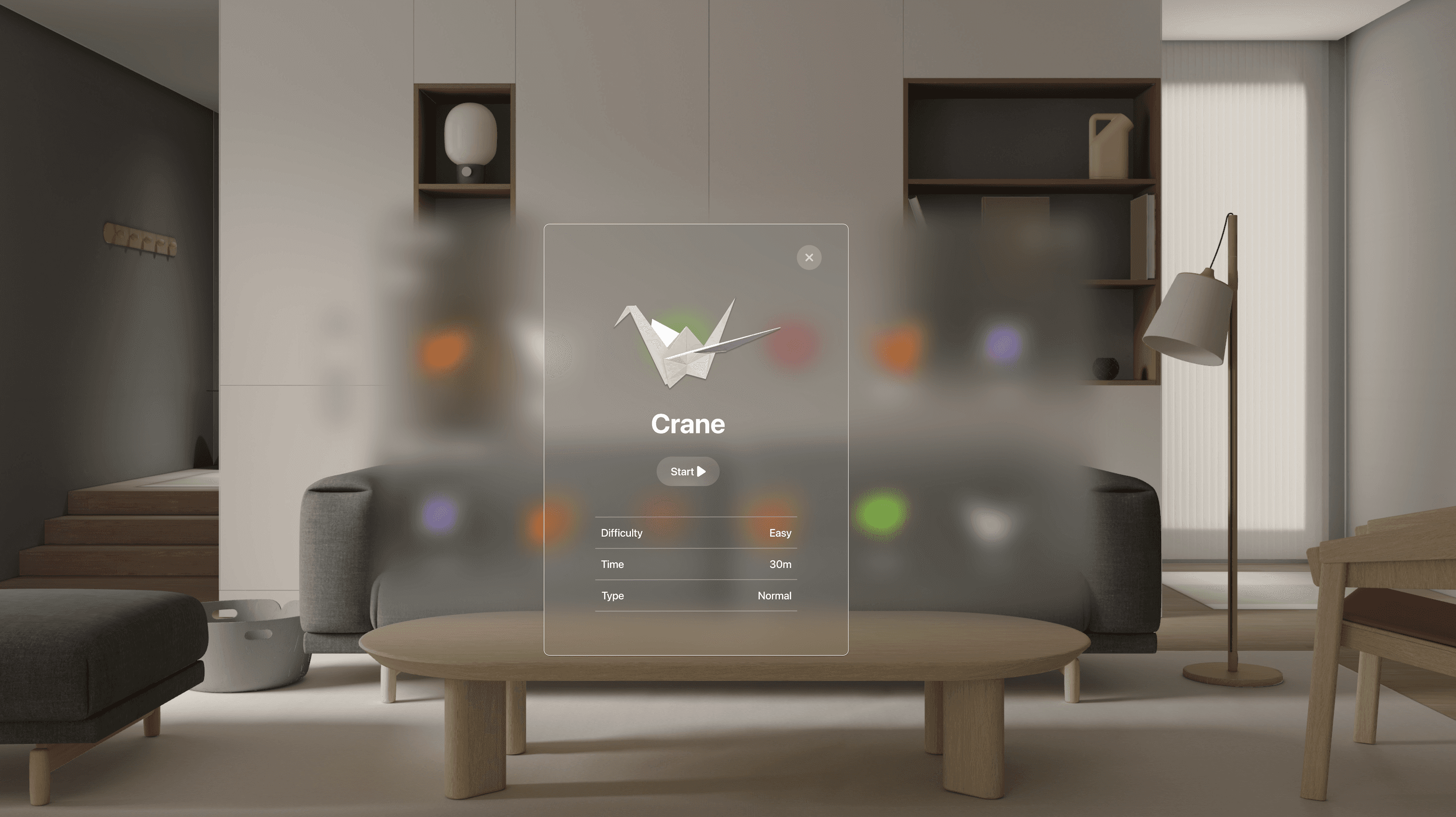
(A) Feels more compact, with the start button being more clearly centralized.
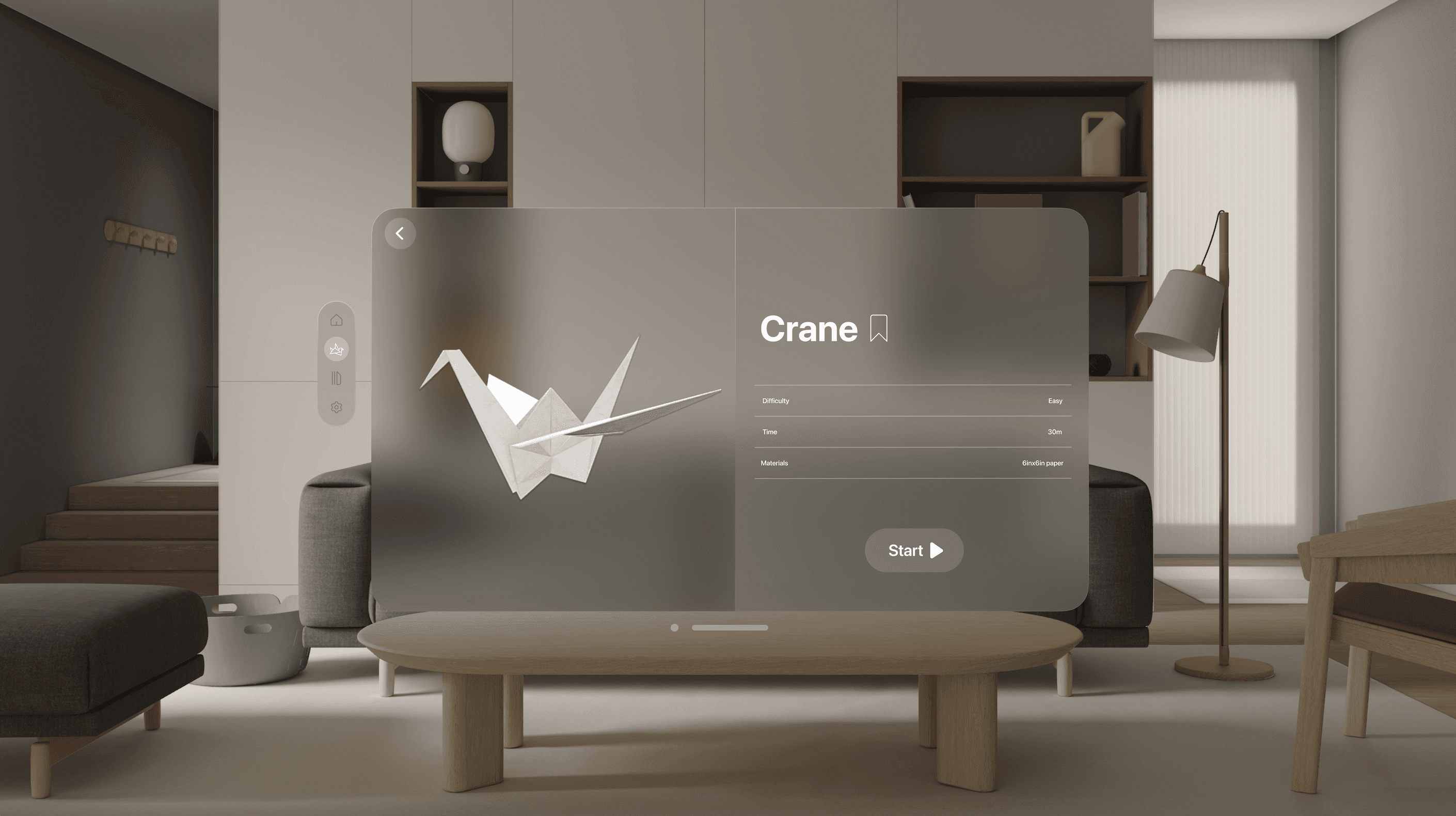
(B) This is larger and simpler in content.
KEY INSIGHT
SCREEN B ENSURES THE CTA IS ACCESSIBLE.
Since users use their eyes and fingers to select something, Screen B would require less movement because the target area is larger.
A
B
The right button seems bigger relative to the left, but the left is actually bigger. Perspective!
REFLECTIONS:
Balancing Multi-Sensory experiences
Designing in 3D sharpened my understanding of how users process multiple sensory inputs at once. It pushed me to consider when visual, spatial, or cognitive load becomes overwhelming. It helped me consider the points where users "switch off" attention.
Designing for split-focus experiences
Unlike mobile, immersive environments exist alongside real-world distractions. This project highlighted the importance of designing for partial attention, where interfaces must remain forgiving and interruptible without breaking the core experience.